Skip to navigation

Tasks

Keep a list of work for your agents and follow it to a pull request
View as Markdown

A task is a piece of work written the way you’d ask an agent for it. Keep tasks in a backlog, hand one to an agent when you’re ready, and follow its progress without opening the session.

Owners, Admins and Engineers can create, start, change and delete tasks. Everyone else can see them.

Create a task
1

Open the form

Open the project’s Tasks tab, choose Tasks, then New task.

2

Describe the work

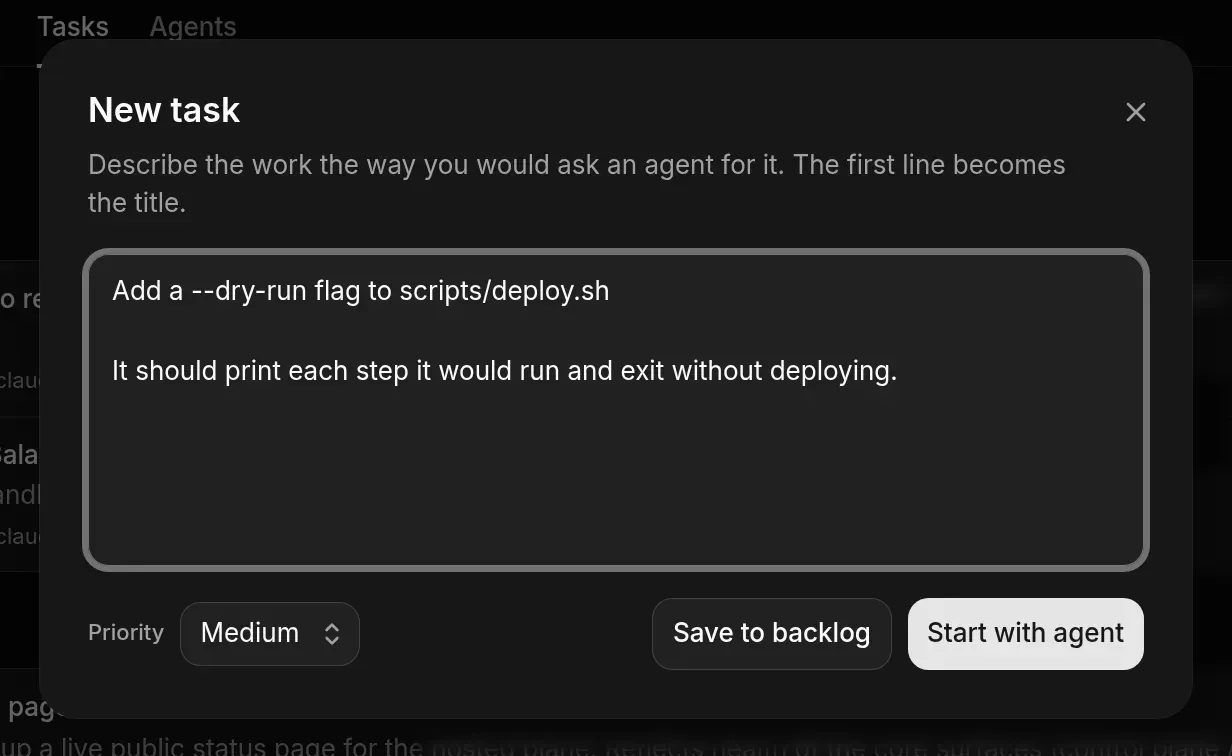
Write it the way you’d ask an agent. The first line becomes the title.

3

Set a priority

Choose Low, Medium (default), High or Urgent.

4

Save or start

Choose Save to backlog to add it to To do, or Start with agent to go straight to the composer with the task filled in.

New task dialog with a two-line task description, Priority set to Medium, and Save to backlog and Start with agent buttons
The New task form

Hand a task to an agent

1

Start it

Choose Start on the task’s row. The composer opens with the task’s text.

2

Start the session

Pick the agent and options, then choose Start session. See Start a session.

3

Follow it

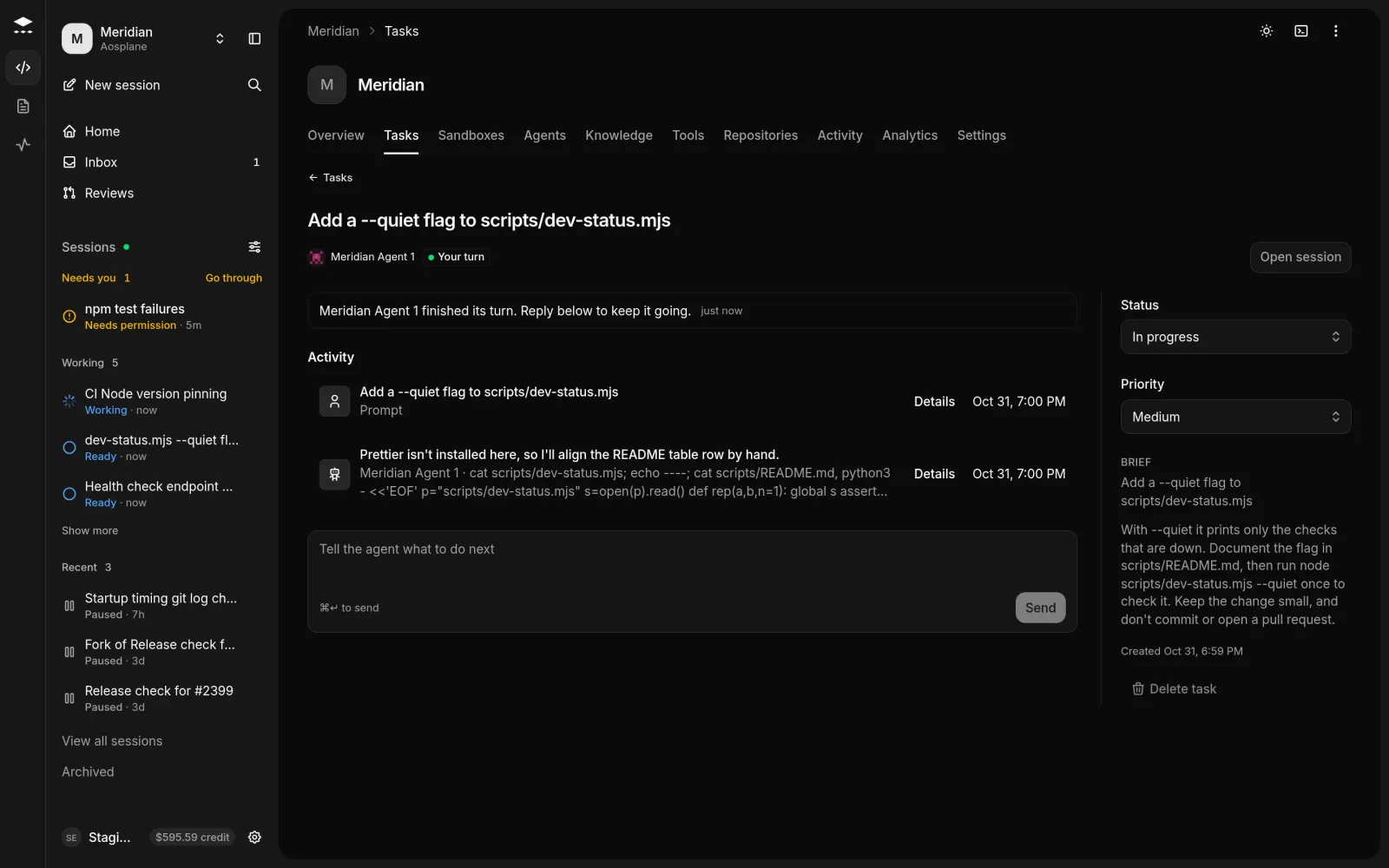
Open the task to see what the agent is doing now, anything Waiting on you, its plan and recent activity. Reply in the box and press ⌘Enter or choose Send.

Task page with the agent's current state, an activity list, a message box, and Status, Priority and Brief on the right
A task with an agent on it

How status moves

StatusWhen
To doNew tasks start here.
In progressA session starts on the task.
In reviewThe agent opens a pull request, or the session ends.
Done, CancelledYou set these. AOSplane leaves them alone.

You can change Status and Priority on the task’s page at any time.

Good to know

  • The Tasks tab has three views: Needs you (everything the project’s agents are waiting on, as in the Inbox), Tasks, and Agents.
  • Tasks shows a List grouped by what happens next, or a Board with a column per status.
  • Tasks also arrive from Linear and GitHub when someone hands an issue to AOSplane. The task links to the issue.
  • A session started from a task shows Linked task at the top.
  • A Done or Cancelled task can’t be started. Change its status first.
  • Delete task works only for a task no session ever worked on. Otherwise set it to Cancelled.
  • Agents compares each agent over 7 days or 30 days: sessions, pull requests, Time to PR and Spend. Labels such as Earning autonomy, Often told no and Often fails hint at which agents could ask less or need a look.