
Repositories
Choose which repositories a project's sessions use, and how each one is set up
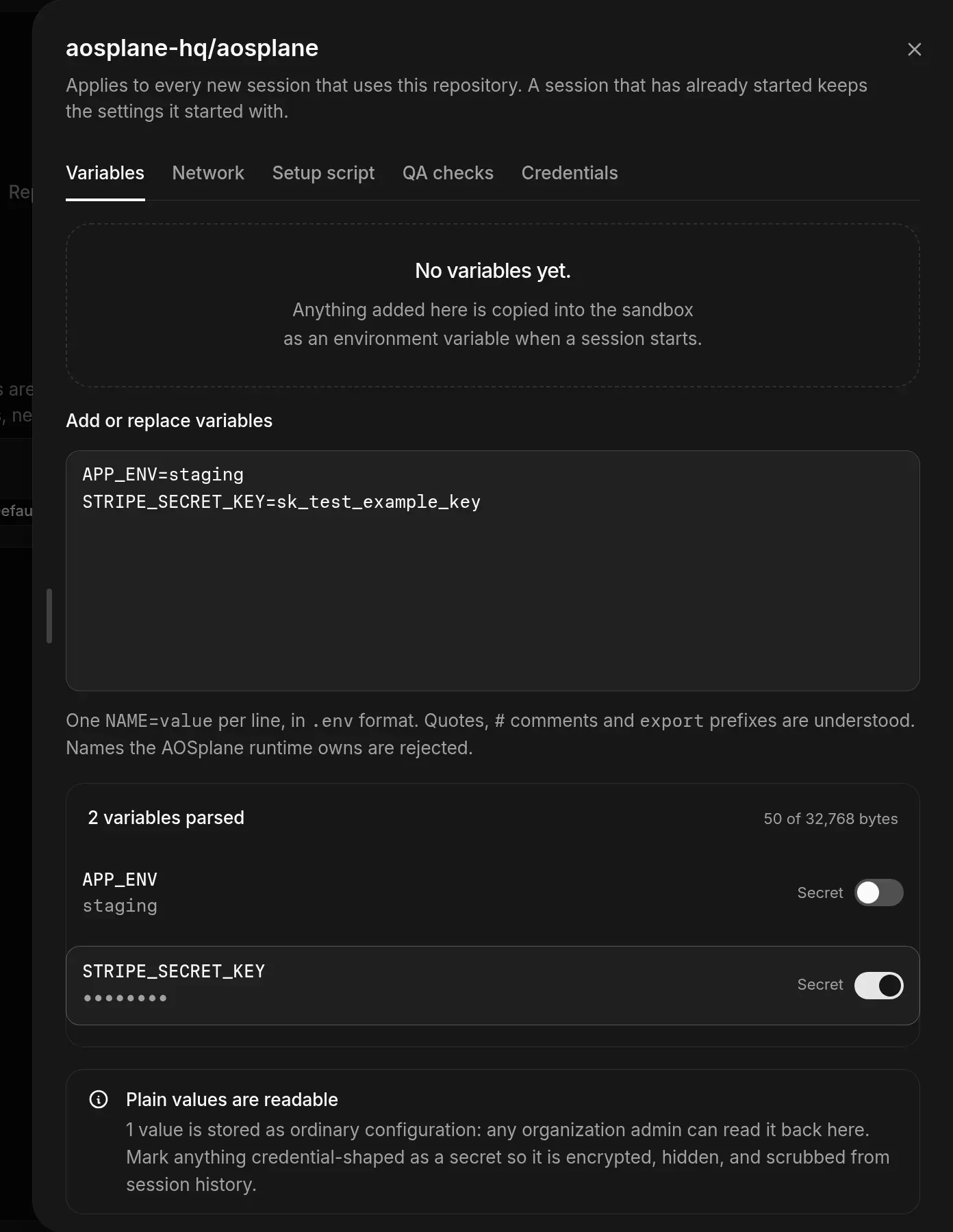
A project’s sessions can only use the repositories you link to it. Link them on the project’s Repositories tab, then use Repository setup to give their sessions variables, a setup script, internet access and QA checks.
Owners, Admins and Engineers link and unlink repositories. Viewers can see the list. Only Owners and Admins change Repository setup; Engineers can inspect it.
Link a repository
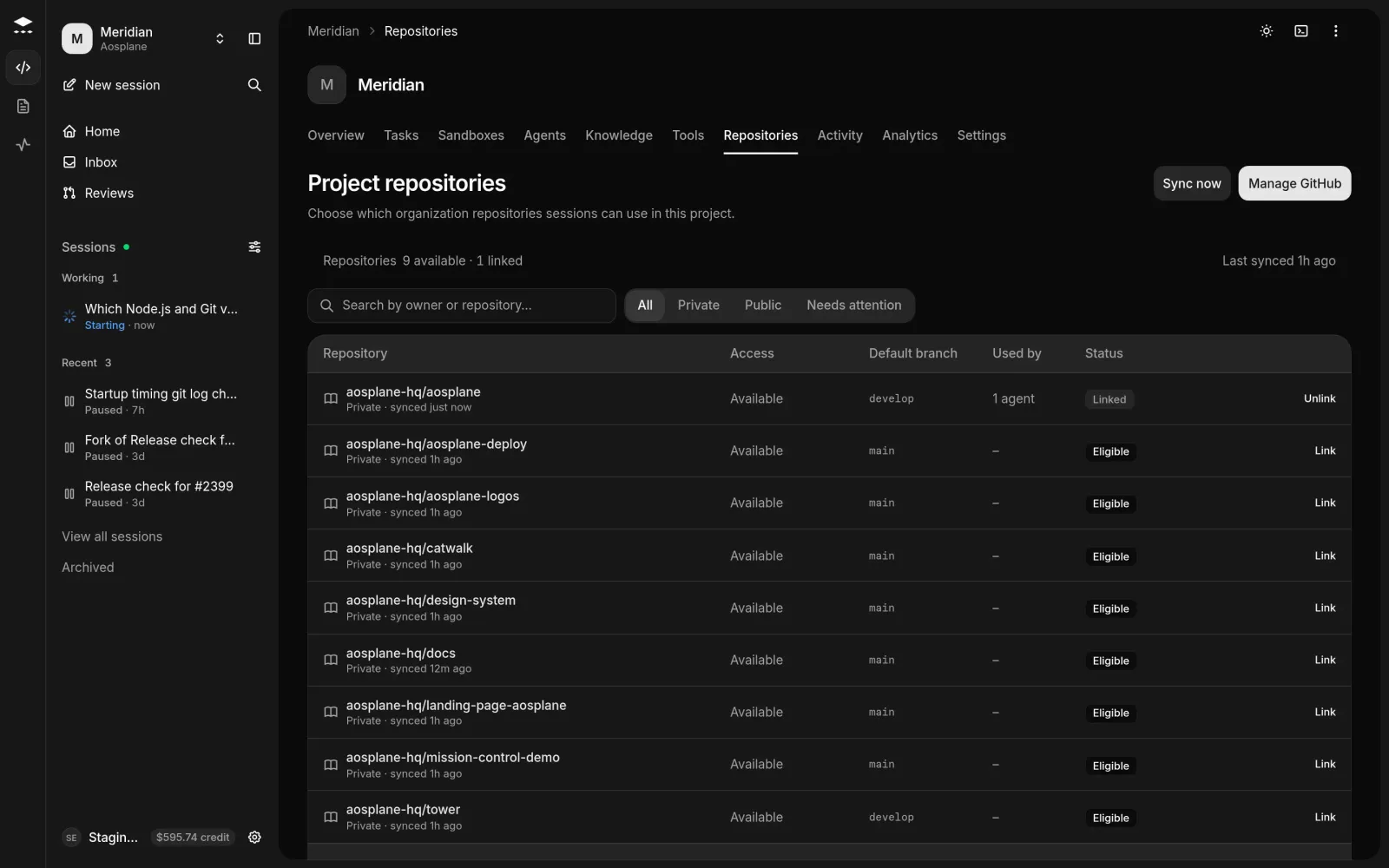
You can link a repository only if the organization’s GitHub App can reach it and your GitHub account has write access to it. If not, the row offers Connect GitHub or Configure access. See Connect GitHub.
Set up a repository’s sessions
Good to know
- Forks, archived and disabled repositories can’t be linked.
- Used by shows how many of the project’s agents use a repository. Unlinking one asks you to confirm, and sessions in the project can’t use it afterwards. You can link it again later.
- New repositories on GitHub show up within a minute or two. Choose Sync now to check right away.
- Needs attention collects repositories that need the GitHub App or your GitHub account before you can link them.