
Stop a session and find it later
Stop the agent, tidy up finished sessions and find past ones
A session stays open after the agent finishes, so you can keep going. When the work is done, archive it. Nothing is deleted.
Archive a session
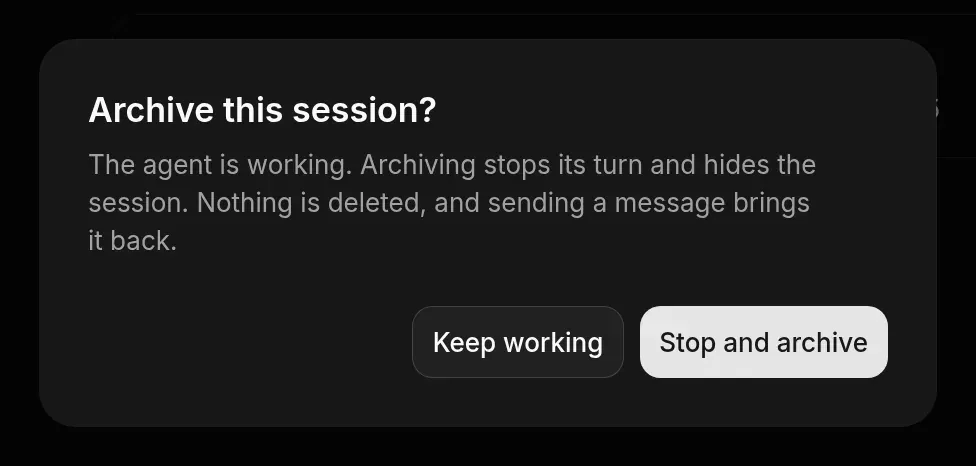
Stop a session
- To stop the agent’s current turn, choose Stop turn in the message box. The session stays open.
- To end a session for good, use Stop on a running session under the composer on the New session page, then Stop session. Stop shows when the project nears its plan’s limit on running sessions. A stopped session is read-only, and its sandbox keeps running.
Find past sessions
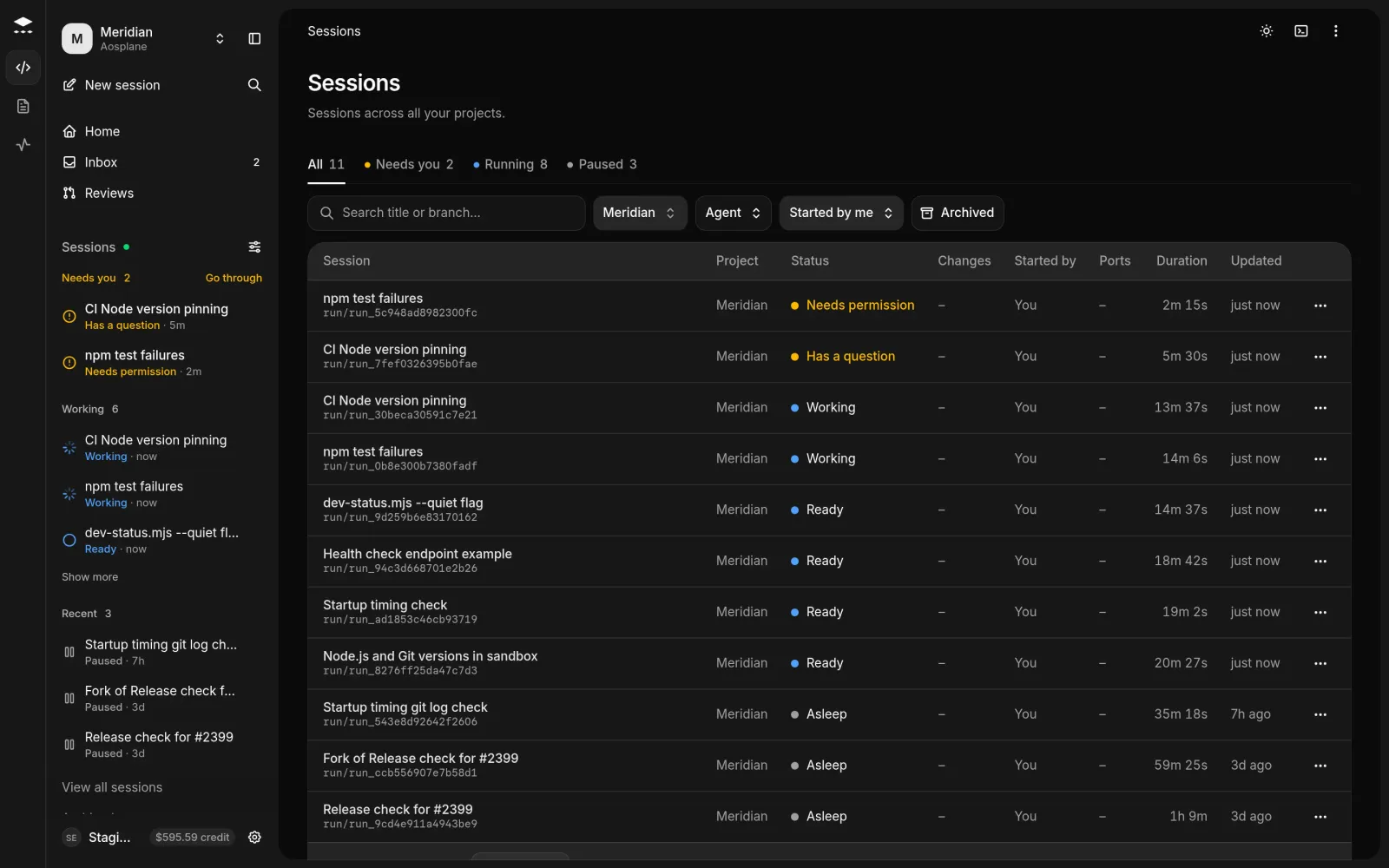
Open the list
In the sidebar’s Sessions section, choose View all sessions. The list covers all your projects and starts on the one you’re in; change the project filter to see the others.
Good to know
- Asleep: the sandbox went to sleep. A message wakes it. Paused: choose Resume sandbox in Session actions (about a minute).
- Archiving a sandbox’s last session puts the sandbox to sleep. Undo on the toast wakes it again.
- The sidebar’s Sessions section switches between Mine and Team. Use Filter and arrange sessions to group by Folder, and Move to folder on a row.