
API keys
Let your own scripts and tools start and follow sessions
An API key lets your scripts, such as a CI pipeline, start and follow sessions without signing in. Each key works in one project and one environment, and only does what its scopes allow.
Everyone can see a project’s keys. Only Admins and the Owner can create and revoke them.
Create a key
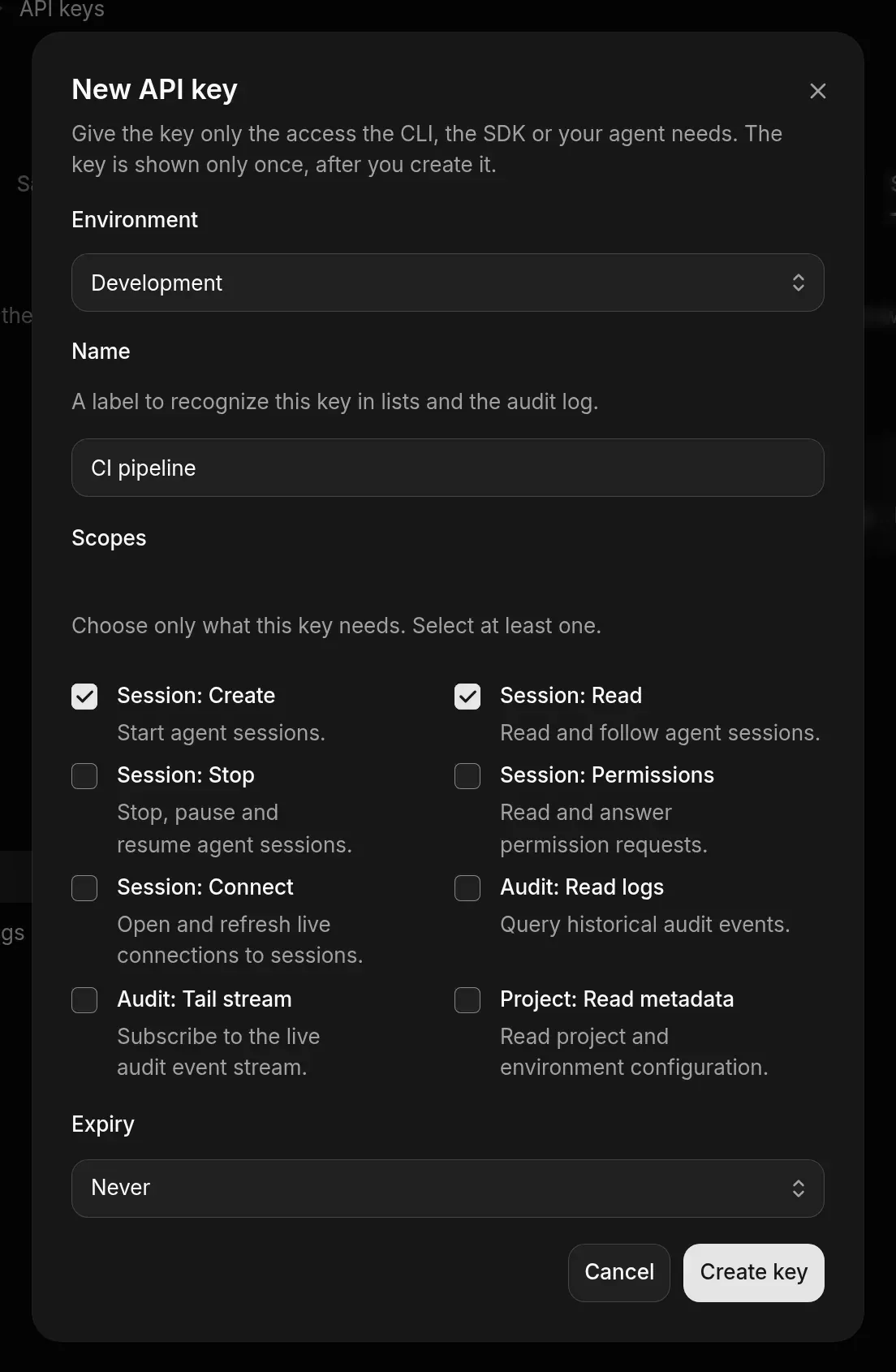
The key is shown only once. If you lose it, revoke it and create a new one.
What each scope allows
Use a key
Send the key in the Authorization header of each request, as Bearer <your key>, to https://us.api.aosplane.io.
Revoke a key
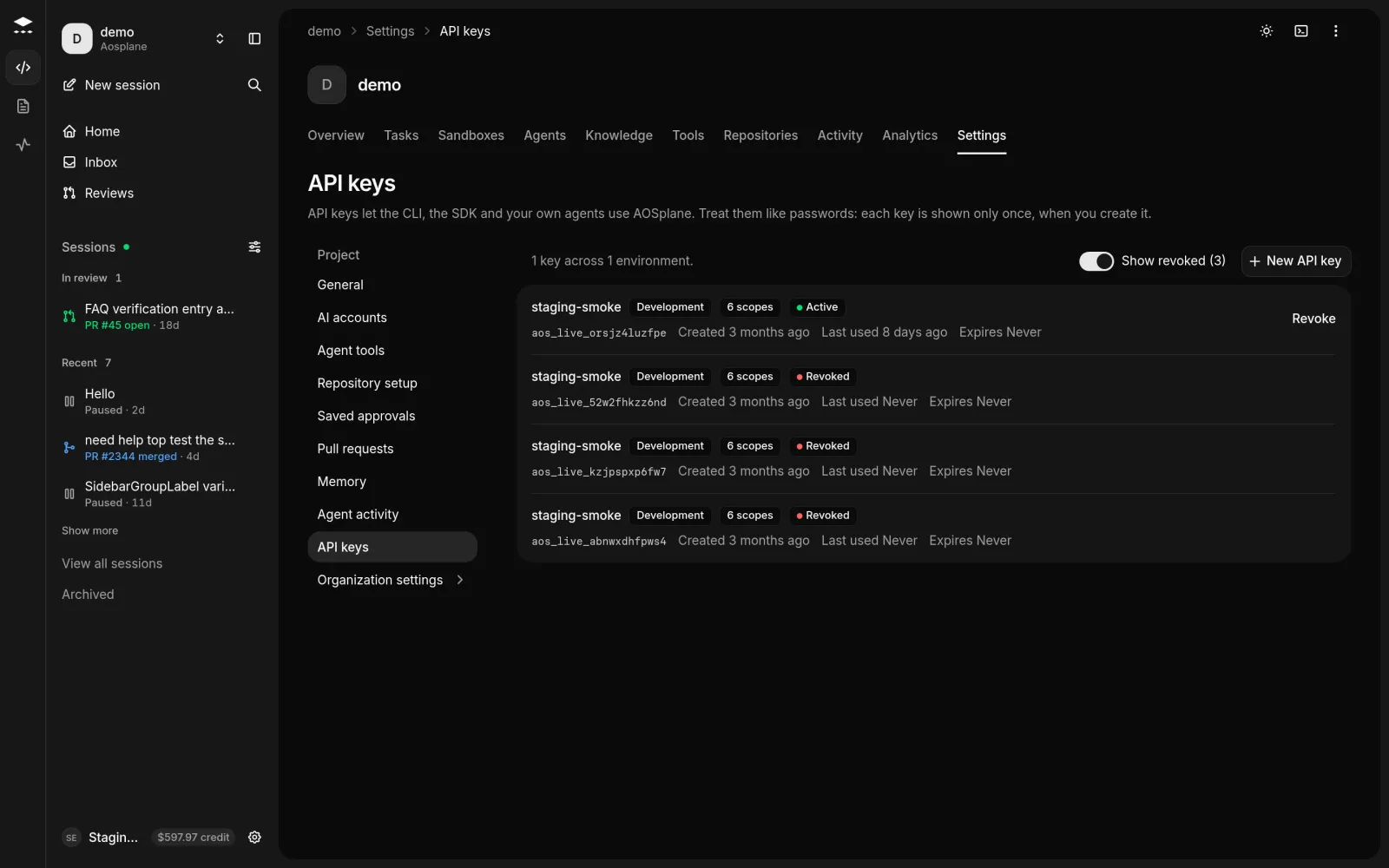
Choose Revoke on the key’s row, then Revoke key. Anything using it loses access right away, and this can’t be undone.
Good to know
- The list shows each key’s first characters and its status: Active, Expired or Revoked.
- A key set to Never still expires after 90 days, so plan to replace keys regularly.
- Revoked keys are hidden until you turn on Show revoked.