
Spend controls
Cap what AOSplane bills, get alerts before you reach it, and top up credit automatically
A spend limit caps what AOSplane bills for the whole organization, one project or one agent in a period: sandbox time, network egress, code review and product manager chat. Model usage on your own AI accounts isn’t included, as it’s capped per session instead. Automatic recharge buys credit for you when your balance runs low.
Owners, Admins and Billing members create and change spend limits. Engineers see the project and agent limits that can block their sessions, read-only. Only the owner sets up automatic recharge.
Create a spend limit
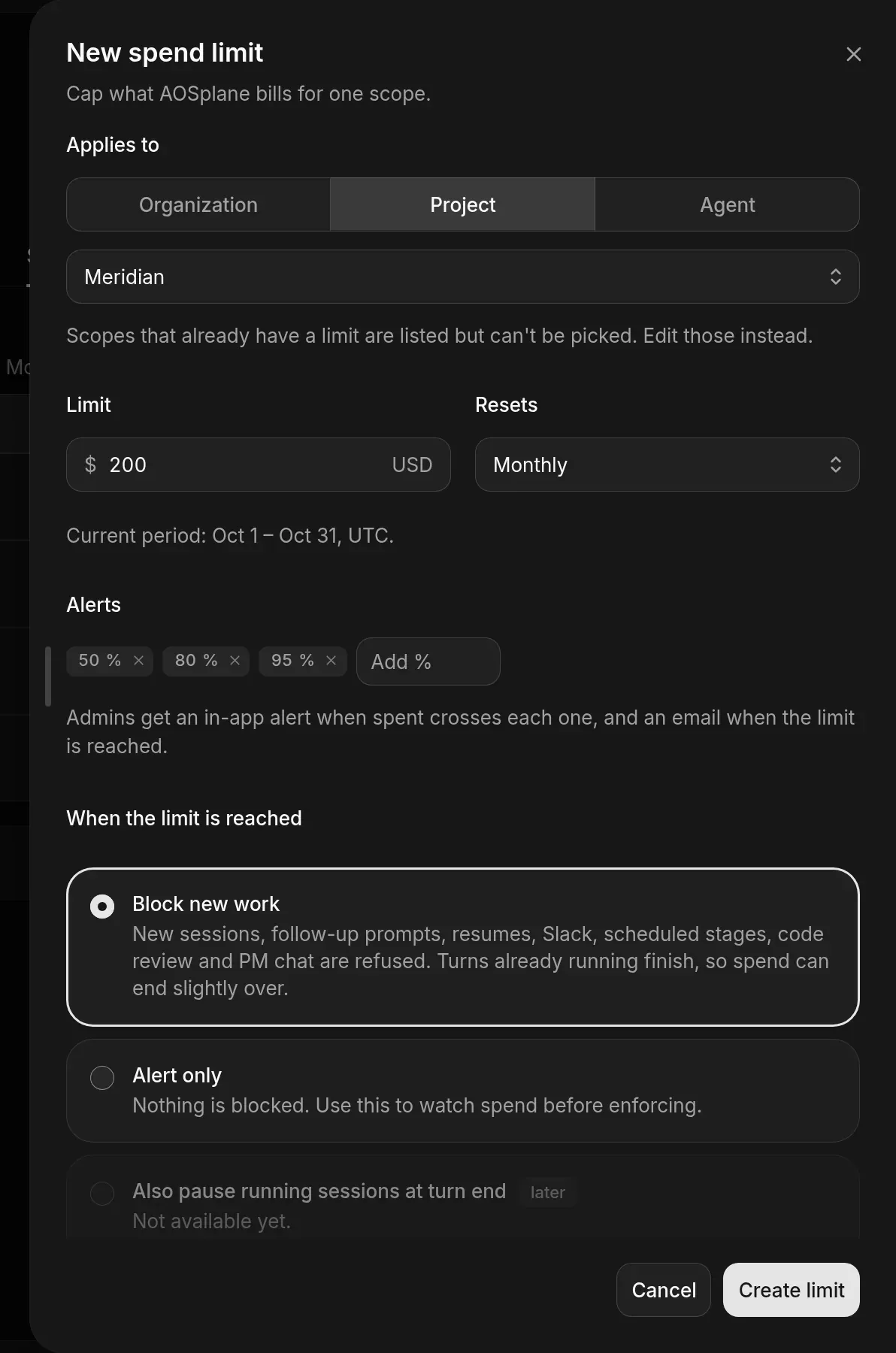
Choose what it covers
Under Applies to, choose Organization, Project or Agent, then which one. Something that already has a limit can’t be picked: edit its limit instead.
Set the amount and period
Enter the Limit in USD and choose when it Resets: Monthly, Weekly or Daily. Periods are counted in UTC.
Keep an eye on your limits
The Spend limits list shows the organization and each project, what each has spent This period, and its State, such as Within limit or Limit reached.
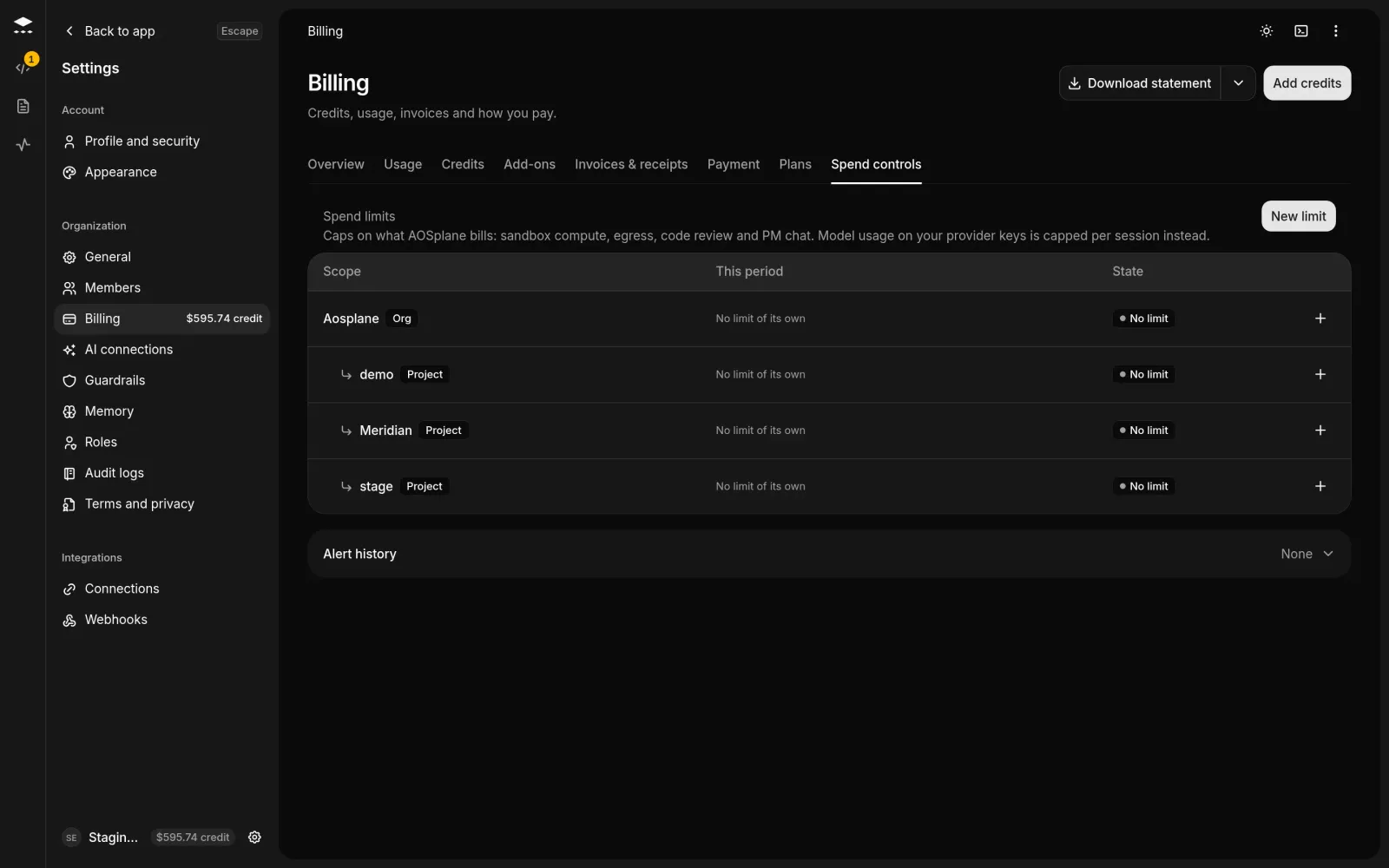
- Admins get an alert in the dashboard when spend crosses a threshold, and an email when a limit is reached.
- Alert history lists every crossing. Choose Acknowledge to mark one as seen.
- Select a limit to edit or delete it. Deleting stops its alerts and blocking at once. Past alerts and spend stay.
Top up credit automatically
Good to know
- With Block new work, turns already running finish, so spend can end slightly over the limit.
- A project’s limit is also bound by the organization’s limit.
- Automatic recharge needs a card on file and isn’t available on Free. Your balance is checked about every 30 seconds.
- Also pause running sessions at turn end shows in the form but isn’t available yet.