
Memory and knowledge
Memory is a set of short notes AOSplane gives the agent with every message, such as “we deploy from the develop branch” or “I prefer small pull requests”. People add memories, and agents can save them too. The Knowledge tab is different: it gives agents your product docs and tracker history to search.
Kinds of memory
Everyone in a session shares its organization, project and session memories, whoever sends the message. Personal memories only ever apply to your own messages.
Add a memory
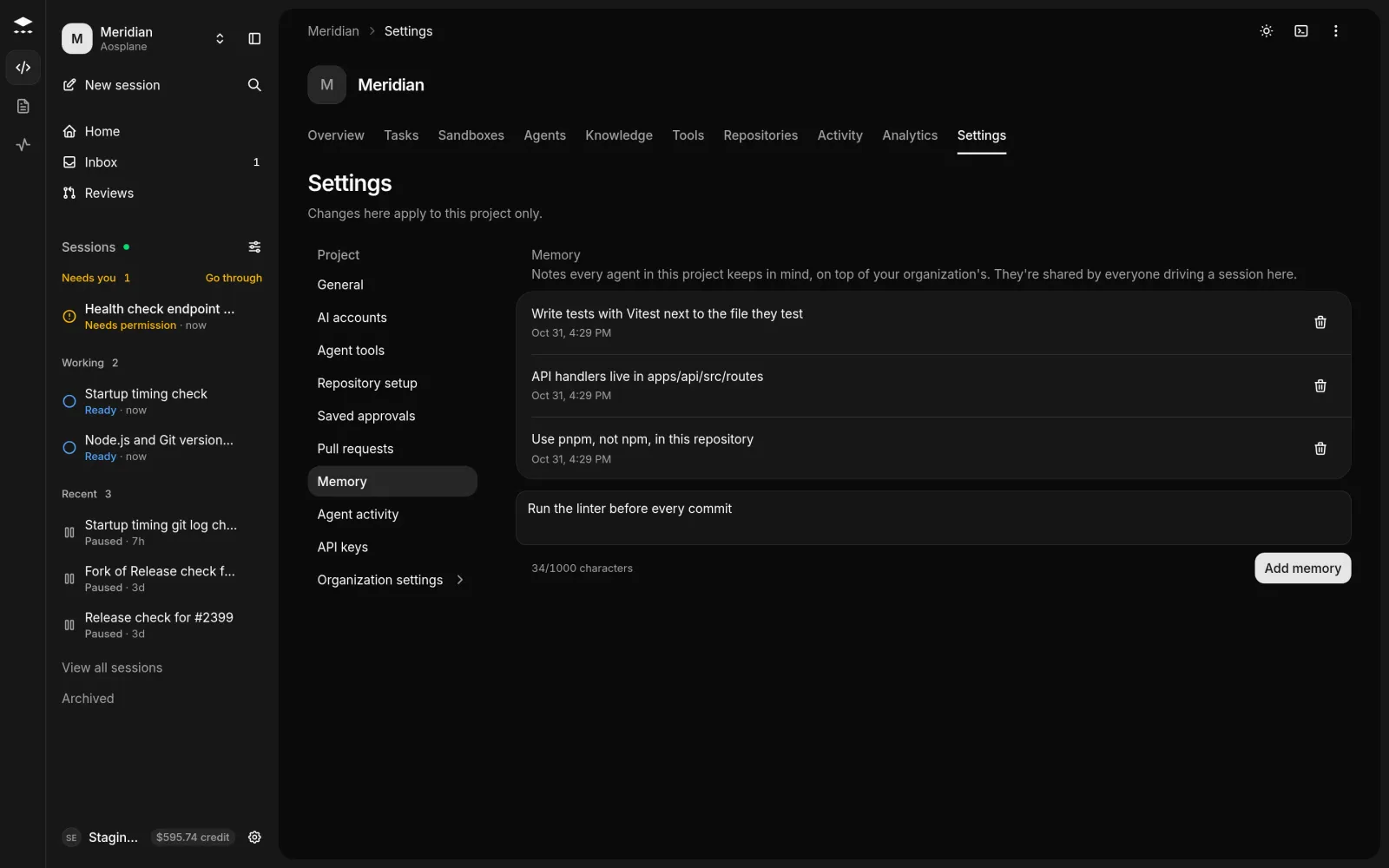
To remove a memory, choose the trash icon next to it, then Delete memory. You can’t edit a memory: delete it and add the new version.
Memories agents save
You can ask an agent to remember something, for example “Remember that we use pnpm, not npm.” Agents also save notes on their own when they learn something that will stay true, such as a convention in your code. Depending on the session’s permission mode, the agent may ask before it saves.
Agent notes show Added by the agent, and may show a kind such as Preference or Lesson and a Source link. Agents can save session, project and personal memories, never organization ones.
Personal memories in shared sessions
Your personal memories always apply in your private sessions. In a session other people can open, they only apply if you turn on Use my personal memories in shared sessions under My memories. Everyone in that session can then see what the agent does with them.
Good to know
- A memory holds up to 1,000 characters, and each list up to 200 memories. A full list says This list is full. Remove a memory before adding another.
- Deleting can’t be undone. To bring a memory back, add it again.
- Viewers can read organization and project memories but can’t change them. Viewer and Billing can’t keep personal memories.
- Memory holds notes only. It isn’t a record of past conversations.
Knowledge base
The Knowledge tab holds the sources your agents read before they answer. The product manager and code review search it, and every answer cites the passages it used.
The knowledge base comes with the Starter (10 sources), Team (50 sources) and Enterprise plans. Engineers, Admins and the Owner can read it. Only Admins and the Owner can add or remove sources.
Each source shows its sync status, such as Waiting for first sync or Synced. Its menu has Sync now and Remove source. To check what agents will find, type a Question and choose Search.