
Product manager
Turn a request into a Brief, Spec, PRD or Discovery, then hand it to engineering
The product manager works through a problem with you and writes the doc as you talk, grounded in the project’s code, issues and docs. When it’s ready, you hand it to an agent or to Linear in one step.
Every plan includes the product manager. PRD needs the Starter plan or above, and Discovery needs Team or above. Viewers can read plans and docs but can’t chat.
Write a doc
Pick what you need
Choose the deliverable button in the composer and pick Brief, Spec, PRD or Discovery. Spec is the default.Describe the problem
Say who is stuck and what happens today, then choose Send. To point at an issue or a file, choose Mention an issue or a file.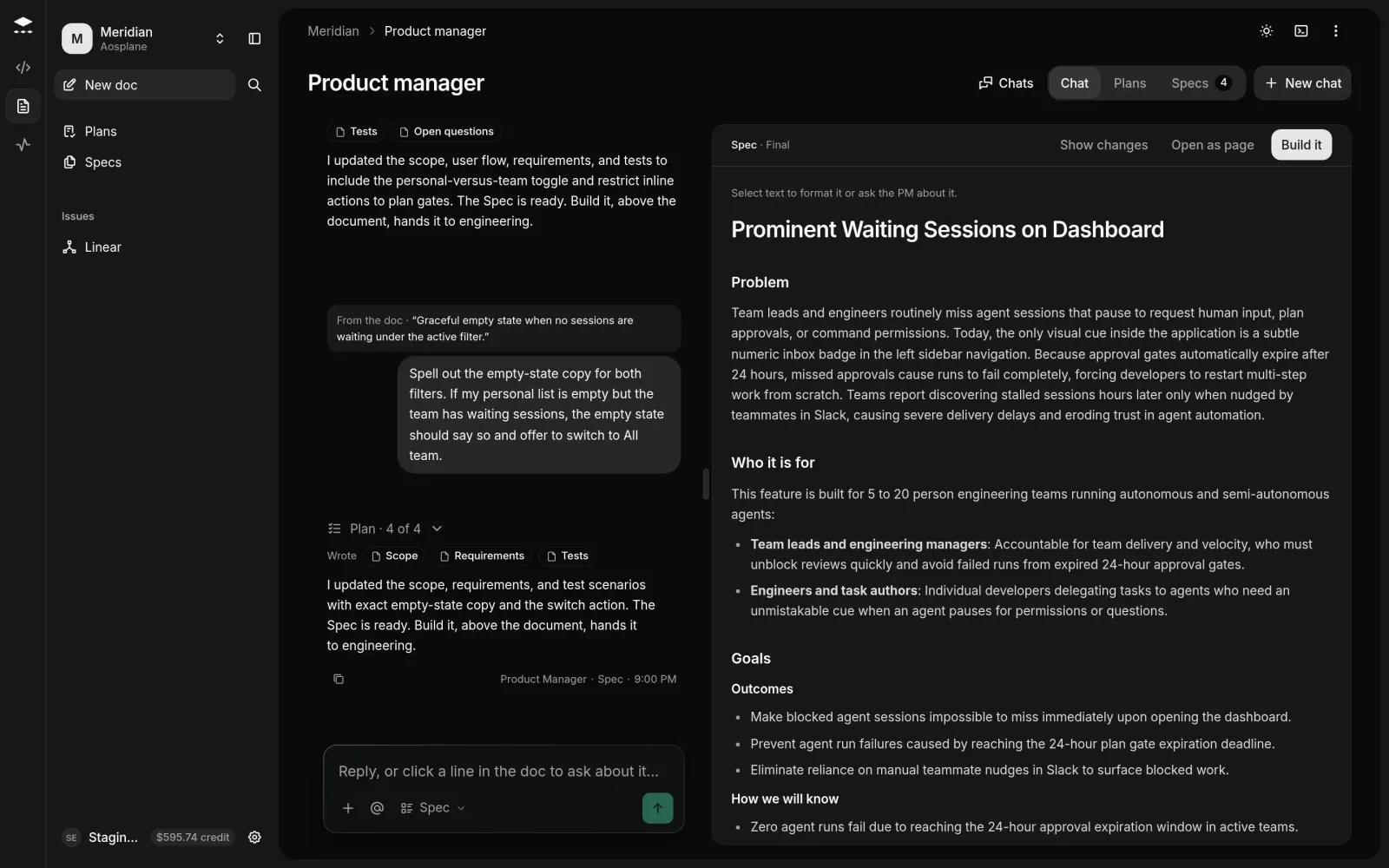
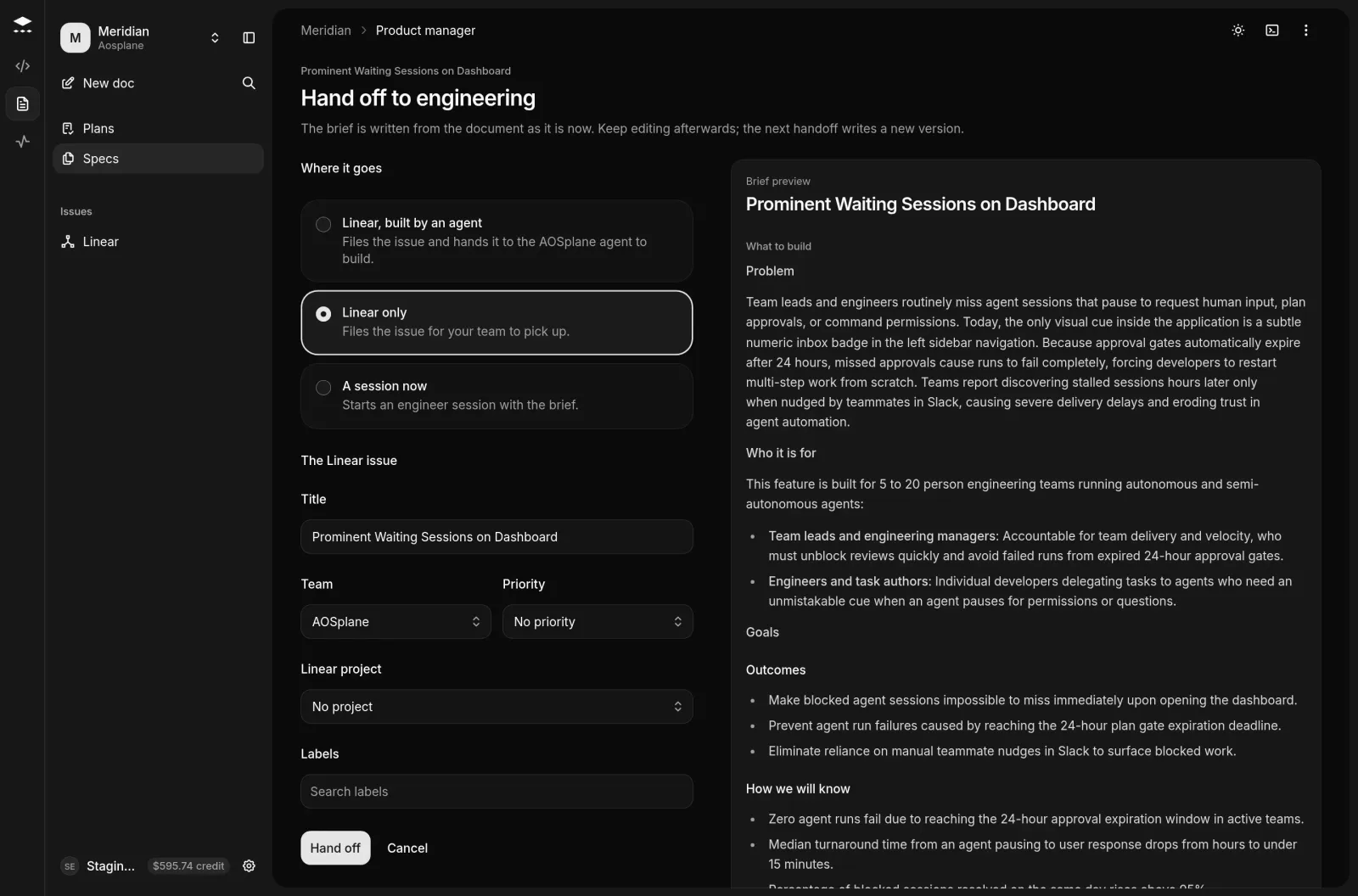
Hand it to engineering
Approve a plan
A session started with Plan first, then wait for approval asks the product manager for a Spec and waits. Open Plans in the product manager (or your Inbox) and choose Approve plan, Request changes or Reject. Once approved, the agent builds it with the Spec’s acceptance criteria among its QA checks.
Good to know
- Each reply that changes the doc counts as one spec. Questions, answers and replies that fail or are stopped don’t count.
- Monthly allowance: Free 10, Starter 50, Team 200, Enterprise custom. After that, each spec costs 1 for a Spec, 4 for a Discovery. Free stops at the allowance.
- Linear, built by an agent needs the AOSplane agent installed in Linear, and A session now needs an active agent in the project. See Linear.
- You can keep editing after a handoff. The next handoff writes a new version of the brief.
- Specs lists every doc. Copy as Markdown is in the menu beside Build it on the doc page.
- The Owner sets house rules and what the product manager reads in Settings › Roles, and its starting depth in Settings › AI connections › Built-in agents.