> For clean Markdown of any page, append .md to the page URL.
> For a complete documentation index, see https://docs.aosplane.io/llms.txt.
> For AI client integration (Claude Code, Cursor, etc.), connect to the MCP server at https://docs.aosplane.io/_mcp/server.
# Chat and approve requests
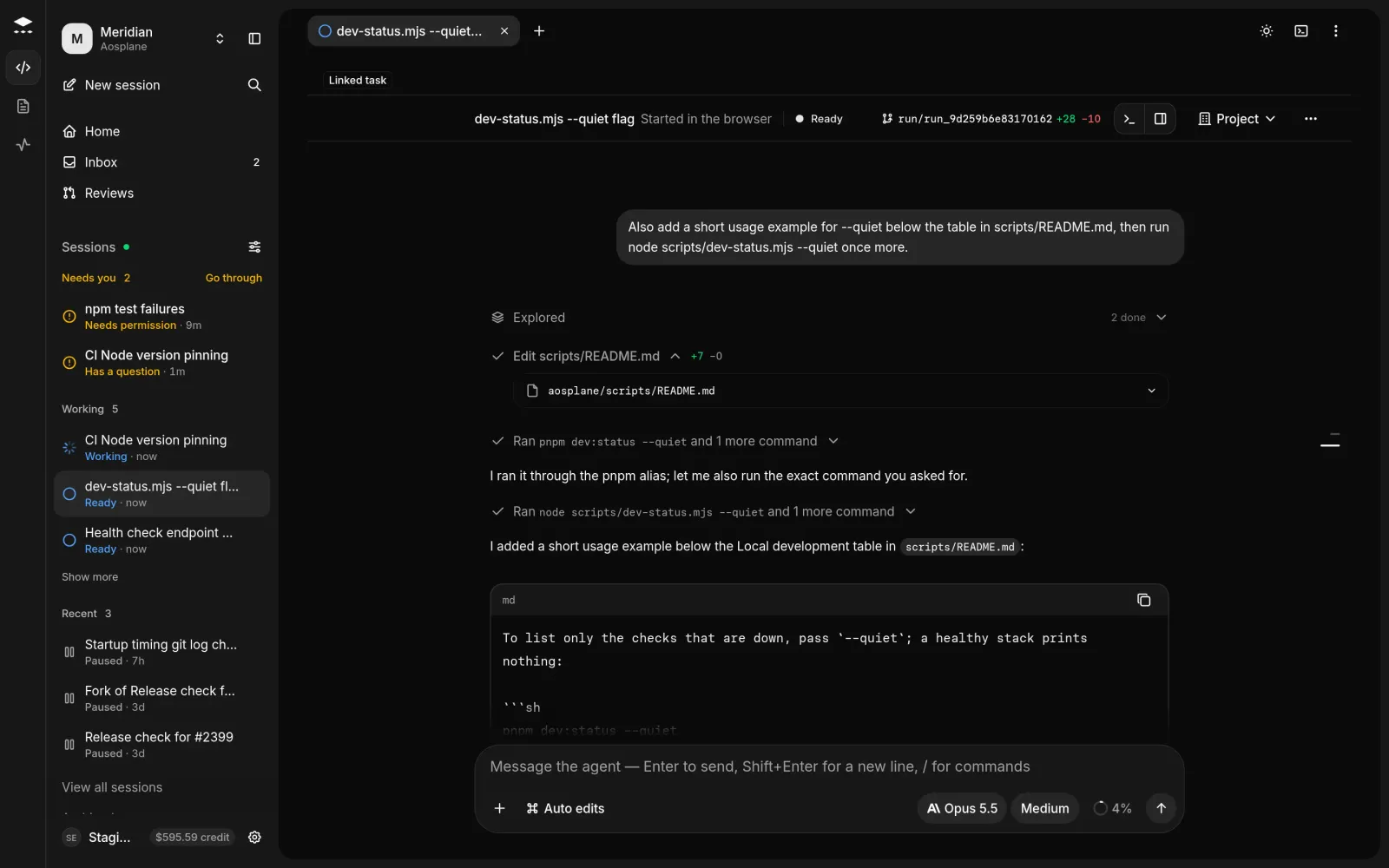
The session page shows the agent working live. Approve what it asks, answer its questions and steer it with follow-ups.
## Answer the agent
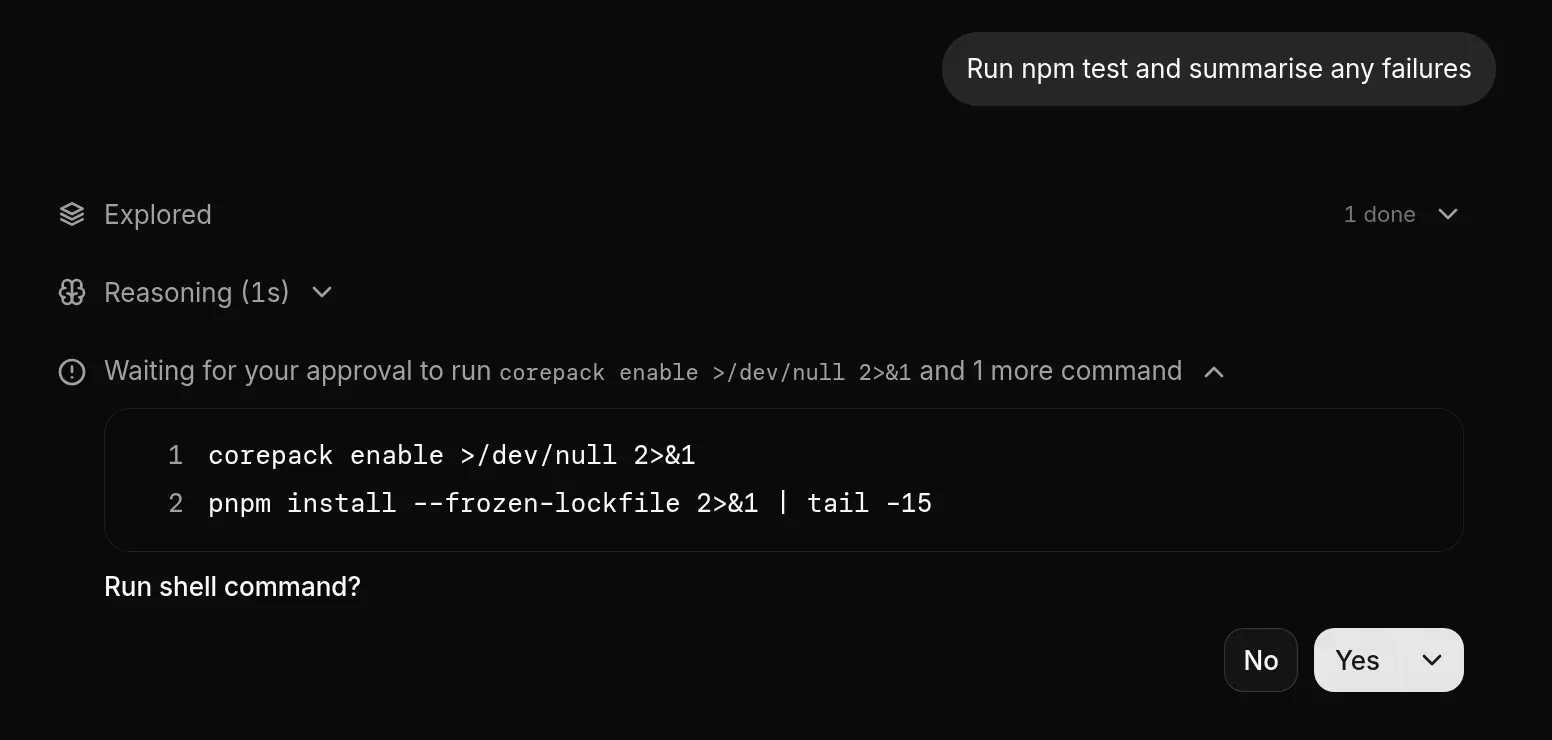
When the agent needs you, the status says **Needs approval**, **Question for you** or **Plan to review**.
#### Find the request
Look for **Waiting for your approval**. It says what the agent wants, such as **Run shell command?** or **Edit file?**, with the details.
#### Approve or decline
Pick one of the agent's options. ⌘Enter allows once, Esc declines.
#### Answer questions and plans
Pick an answer or type one in **Or type a different answer…**. For an **Implementation plan**, choose **Approve and implement**, **Request changes** or **Discard**.
## Send a follow-up
Type in the box at the bottom and press Enter. / lists the agent's commands and @ mentions a file.
While the agent works, Enter queues your message for its next step or turn. ⌘Enter interrupts instead. **Stop turn** (or Esc in an empty box) stops the turn.
## Share the session
#### Open visibility
Choose the visibility button at the top of the session to open **Who can see this session**.
#### Pick who
Choose **Project**, **Private** or **Selected teammates…**, then pick teammates and choose **Share with N teammates**.
## Good to know
* Only the person who started a session and organization admins can change who sees it.
* Everyone who can see a session can drive it. **N here** shows who's in it and who is **Driving this turn**.
* Viewers can answer permission requests but can't send messages. The first answer counts, and an unanswered request expires as declined.
* Approvals the agent shouldn't ask for again are in the project's **Settings** › **Saved approvals**, where you can **Revoke** them.
#### Session actions menu (⋯)
| Item | What it does |
| ----------------------------------- | ----------------------------------------------------------------------------------------------- |
| **Open brief** / **Open activity** | The session's brief, or everything it did. See [Activity](/activity). |
| **New chat in this sandbox** | A new session in the same sandbox. |
| **Fork session** | A new session with this conversation. **Fork from here** under a message forks from that point. |
| **Continue in…** | Hands the conversation and uncommitted work to another agent in the project. |
| **Desktop notifications** | Browser alerts when the session needs you, finishes your turn or fails. |
| **Copy link to session** | A link for anyone who can see the session. |
| **Resume sandbox** / **Keep awake** | Restart a paused sandbox, or keep it awake for 1, 8 or 24 hours (billed). |
| **Archive** | Hides the session. See [Stop a session and find it later](/stop-a-session). |
| **Report session…** | Sends us a problem report. See [Report a problem](/report-a-problem). |
## Related
* [Review changes and open a pull request](/session-changes)
* [Inbox](/inbox)