> For clean Markdown of any page, append .md to the page URL.
> For a complete documentation index, see https://docs.aosplane.io/llms.txt.
> For AI client integration (Claude Code, Cursor, etc.), connect to the MCP server at https://docs.aosplane.io/_mcp/server.
# Audit logs
The audit log records every change people, [API keys](/api-keys) and AOSplane made in your organization, such as starting a session, answering a permission request, stopping a sandbox or changing the plan. Each entry says who, what, from where, and whether it worked. Use it to answer "who did this?" or to check a failure.
> **Note**
>
> Everyone except the **Billing** role can open **Settings** › **Audit logs**. How far back it goes depends on your plan: 7 days on Free, 30 on Starter, 90 on Team, and as agreed on Enterprise.
## Find a change
#### Open the log
Choose **Settings**, then **Audit logs**.
#### Pick a period
Choose **24 hours**, **7 days** (the default), **30 days** or **90 days**, or **Custom** for your own dates.
#### Pick what to list
**Changes** lists everything that changed something, **Failures** only what didn't work, and **Everything** adds views too.
#### Narrow it down
Paste a **Session, sandbox or key ID** (press / to jump there), or filter by **Person**, **Action**, **Via** or **Project**. **Clear filters** starts again.
#### Open an entry
Select a row to see its details.
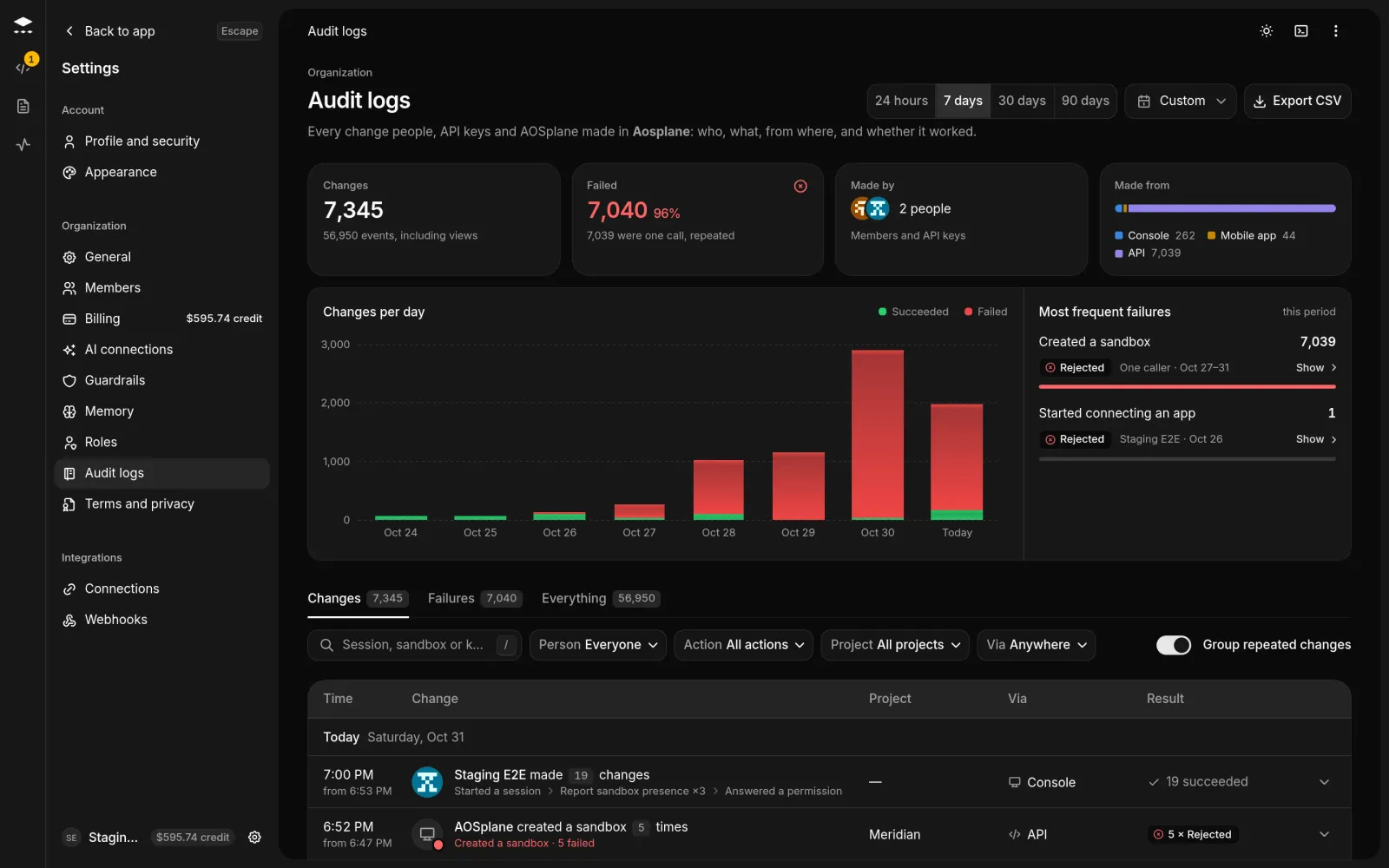
Without filters, the page opens with a summary: how many **Changes** and how many **Failed**, who they were **Made by** and **Made from**, a **Changes per day** chart (select a bar to show that day), and the **Most frequent failures**.
## Read an entry
Each row shows the **Time**, the **Change**, the **Project**, **Via** and the **Result**. The details panel has three sections:
* **Who**: the person or API key, the IP address it came **From**, and **Via** where, including the browser or app. **All by them** lists everything else they did.
* **What**: the session, sandbox, snapshot or key that changed, with its ID and project.
* **When**: the time in your time zone and in UTC, and how long it took.
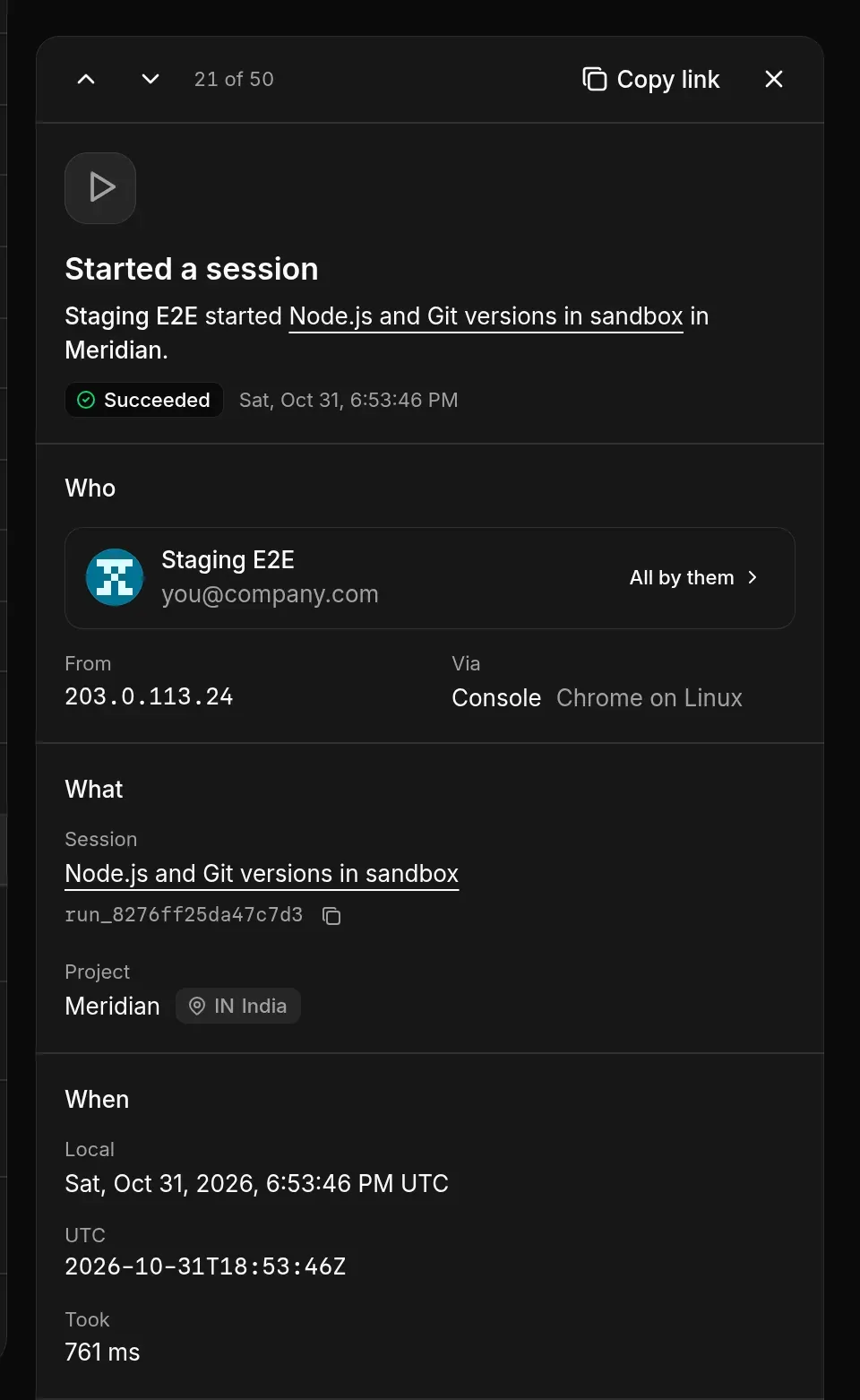
If the change failed, the top of the panel says why. Step through entries with J and K. **Copy link** copies a link to the entry and **Copy as JSON** copies all of it.
## Good to know
* **Via** can be **Console**, **Desktop app**, **Mobile app**, **API**, **Slack** or **AOSplane Support**.
* **Group repeated changes** is on by default: changes one person made close together fold into one row you can expand.
* Each region keeps its own log. The **Region** filter appears when your projects are in more than one region.
* **Export CSV** downloads what matches your period and filters, up to 10,000 rows at a time.
## Related
* [Members and roles](/members)
* [API keys](/api-keys)
* [Activity](/activity)